
How to Schedule Instagram Stories for Maximum Impact
You can schedule Instagram Stories for free using tools like Meta Business Suite, but there are also a ton of great third-party social media managers that get the job done. Both routes let you plan, create, and set your content to go live automatically, saving you a massive amount of time while making sure you post when your audience is actually paying attention.
Why Scheduling Instagram Stories Is a Game Changer
Let's be real: scheduling your Instagram Stories is way more than just a time-saving hack. It's a strategic play that has a direct impact on your growth and how much your audience actually engages with you. When you ditch the spontaneous, last-minute posting scramble, you open up the space to create higher-quality, more thoughtful content that really connects.
This planned-out approach lets you batch your content creation. You can block off a few hours and knock out an entire week's worth of Stories in one go. This frees up your daily to-do list so you can focus on other important things, like actually talking to your community and digging into your performance data.
Solidify Your Brand Presence
Consistency is everything when you're trying to build a strong brand on social media. When your followers know they can count on you for fresh, valuable content every day, you stay top-of-mind. Scheduling makes sure your profile stays active even on your craziest days, so you don't have those awkward content gaps that can tank your visibility.
By keeping a steady stream of Stories flowing, you're constantly feeding the Instagram algorithm. This signals that your account is active and relevant, which is exactly what you need to build a loyal community that trusts your brand.
Maximize Engagement with Strategic Timing
Planning ahead means you can push your Stories live during your audience's peak activity hours—not just when you happen to have a free second. This smart timing gets your content maximum exposure right out of the gate, which helps boost those initial views and interactions.
Plus, consistency is a huge driver of visibility on the platform. While a lot of brands only manage about 10 Stories per month, Instagram itself suggests posting 1-7 times a day to get the best completion rates and stay on the algorithm's good side. For small businesses, pairing 3-5 feed posts a week with several daily Stories creates a powerful rhythm for steady growth. You can learn more about these powerful Instagram Story scheduling insights on Socialbee.com
Ultimately, learning how to schedule Instagram Stories turns them from a temporary, fleeting feature into a reliable and powerful marketing channel. It gives you the power to:
Improve Content Quality: Spend more time on creative ideas, slick editing, and adding interactive elements that people love.
Maintain a Consistent Schedule: Keep your audience hooked without being glued to your phone 24/7.
Boost Visibility: Post at the perfect times to reach way more of your followers.
Strengthen Your Brand: Build a professional, dependable presence that your audience can count on.
Finding Your Audience's Golden Hours for Posting
A brilliant Story idea can fall flat if you post it at the wrong time. Timing is the unsung hero of Instagram engagement—it's what determines who actually sees your content. Learning how to schedule Instagram Stories isn't just about automation; it's about delivering your content at the exact moment your audience is ready for it.
Think of it like a coffee shop. You wouldn't brew a fresh pot at closing time, right? You do it during the morning rush. Posting a Story when your followers are offline is the digital equivalent of that—a huge missed opportunity. The goal is to find their "morning rush," those peak windows when they're scrolling, tapping, and ready to interact.
Start with Universal Peak Times
While every audience is a little different, broad user behavior gives us a fantastic starting point. Across the board, Instagram activity tends to spike during a few reliable windows. You can think of these as the low-hanging fruit to test right away.
For example, data consistently shows that posts between 11 AM and 2 PM tend to capture a ton of activity. This makes sense—it lines up perfectly with lunch breaks when people are most likely to be scrolling through their phones. You can find more detailed breakdowns of global user habits on SocialRails.com
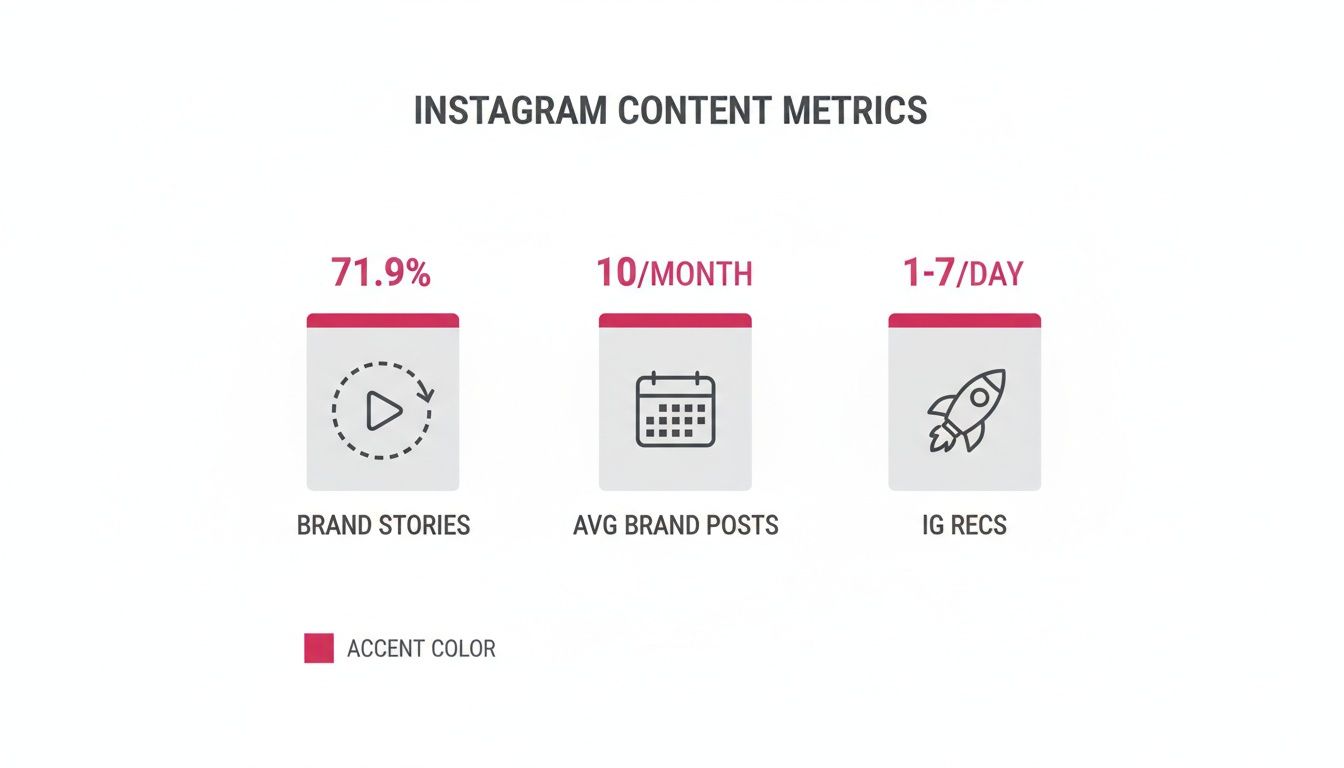
The data speaks for itself. A massive 71.9% of brand content now lives in Stories, which really drives home why nailing your timing is so critical for getting seen.
General Posting Windows for Instagram Stories
Use this as a starting point to test what works for your audience. These windows reflect general high-traffic periods across the platform.
| Day of the Week | Morning Slot (7 AM - 9 AM) | Midday Slot (11 AM - 2 PM) | Evening Slot (7 PM - 9 PM) |
|---|---|---|---|
| Monday | High | Peak | Moderate |
| Tuesday | High | Peak | High |
| Wednesday | High | Peak | High |
| Thursday | High | Peak | High |
| Friday | High | Peak | Moderate |
| Saturday | Moderate | High | Low |
| Sunday | Moderate | High | High |
Remember, these are just averages. Your own data is where the real magic happens.
Dive Deep into Your Own Instagram Insights
Universal data is a great guide, but your own account analytics hold the real secrets. Instagram Insights is your personalized roadmap, showing you exactly when your followers are most active. This is how you shift from making educated guesses to making data-driven decisions.
It's surprisingly easy to find. Just follow these steps:
Head to your Instagram profile and tap the Professional Dashboard.
Select Total Followers.
Scroll down to the Most Active Times section.
There it is. A clear, visual breakdown of your audience's activity by both days of the week and specific hours of the day. You might find out your followers are night owls, most active at 9 PM, or a bunch of early birds scrolling before their workday even begins.
Pro Tip: Don't just glance at this data once. Make it a habit to check in weekly or bi-weekly. As your follower count grows and seasons change, these patterns can absolutely shift. Staying on top of it ensures your schedule never gets stale.
Interpreting Your Follower Activity Data
Once you're looking at your activity chart, your eyes will naturally go to the darkest blue bars—those are your peak hours. But don't stop there. Look for consistent two-to-three-hour windows where activity stays high. These are your prime scheduling slots.
For instance, if you see consistently high activity from 7 PM to 10 PM on weekdays, that's your target evening window. You could schedule a quick poll at 7 PM to kickstart engagement and then follow up with a more in-depth, multi-part Story at 8:30 PM.
This level of analysis turns scheduling into a real strategy. If you want an easy way to keep an eye on your performance trends, using a free Instagram account monitor
How to Schedule Stories Using Native Meta Tools
You don't have to shell out for a third-party tool right away to start planning your content. Meta actually gives you a pretty powerful (and free) platform called Meta Business Suite that lets you schedule Instagram Stories directly.
Honestly, it's a fantastic starting point. If you're new to scheduling or just want to keep your entire workflow inside the Meta bubble, this is the way to go. The whole process is done on your desktop, which is a game-changer. No more squinting at a tiny phone screen—you get a proper canvas to upload high-quality media and see your content calendar laid out clearly.
Connecting and Accessing the Scheduler
First things first, let's get your account squared away. Before you can schedule anything, your Instagram needs to be set up as a Business or Creator account. Crucially, it must also be linked to a Facebook Page. This connection is what gives Meta Business Suite the keys to the kingdom, so to speak.
Once that's sorted, getting to the scheduler is a piece of cake. You can head straight to the Meta Business Suite or find it tucked inside your linked Facebook Page's professional dashboard. On the main screen, you'll spot a content planner and a big "Create Story" button. That's your entry point.
For a deeper dive into managing your Instagram presence with Meta's native tools, this guide on how to schedule posts on Instagram the easy way
Crafting Your Story in Meta Business Suite
When you click "Create Story," you're taken to the composer window. This is where the magic happens. The interface is clean and breaks everything down into simple, logical steps.
Here's the basic rundown of what you'll be doing:
Choose Your Placement: The first thing it asks is where you want to post. You can tick the box for your Instagram account, your Facebook Page, or push it to both at the same time.
Upload Your Media: Next up, add your visuals. Just hit "Add Media" to pull photos or videos from your computer. You can queue up to 10 different images or videos for a single Story sequence.
Add Creative Elements: This is where you can inject some personality. Add text overlays with different fonts and colors, and more importantly, drop in interactive stickers like polls or quizzes to get your audience tapping.
Take a look at the composer screen below. This is exactly where you'll be building and scheduling your Story.
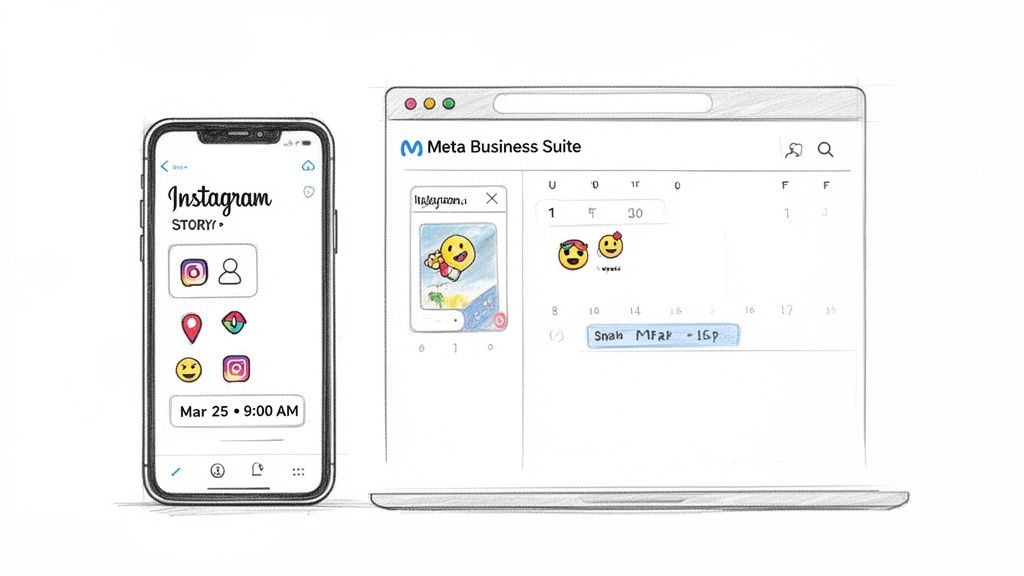
What I really like here is the live preview on the right. It shows you exactly how your Story will look on a phone, so you can make sure your text isn't awkwardly covering someone's face.
Finalizing the Schedule
Alright, once your Story looks perfect, it's time to get it on the calendar. Instead of slamming the "Publish Story" button, look for the little dropdown arrow next to it. Click that, and you'll see the option to "Schedule Story."
This brings up a simple calendar and time-picker. You can dial in the exact date and time you want the Story to go live, which is perfect for hitting those peak engagement windows we talked about earlier.
One of the biggest perks of using the native scheduler is its direct pipeline to Instagram's latest features. Third-party tools sometimes lag behind, but Meta Business Suite usually gets first dibs on new stickers and creative options. That means your scheduled content will always feel fresh.
After you've picked your time, just hit "Schedule," and you're all set. The Story is officially in the queue and will post automatically. You can see all your scheduled content in the "Planner" view, which gives you a bird's-eye view of your content pipeline and makes it easy to spot gaps or move things around if needed. It's a completely free way to master how to schedule Instagram Stories.
Using Third-Party Tools for Next-Level Scheduling
While the Meta Business Suite is a perfectly solid starting point for getting your Stories on the calendar, there will come a point when your strategy simply outgrows its capabilities. It happens to everyone.
When you're ready to really scale your efforts, streamline your workflow, and get your hands on deeper insights, third-party scheduling platforms become a total game-changer. These tools are built from the ground up to handle the messy, complex reality of a serious social media strategy.
Think of it this way: Meta's tool is like a reliable sedan. It'll get you from A to B just fine. But third-party platforms? They're the fully-equipped command centers designed for professional marketers, growing brands, and busy creators who need more power under the hood. They turn scheduling from a simple task into a complete content management engine.
Why Make the Switch to a Specialized Tool?
The decision to pay for a third-party tool almost always comes down to two things: efficiency and advanced features. As your content volume grows or you start juggling multiple accounts, the cracks in the native scheduler start to show. You suddenly find yourself needing things like better team collaboration, a clearer view of your content plan, and analytics that actually tell a story.
Specialized platforms solve these exact problems. They pull all your different functions into one dashboard, saving you from the frustrating dance of bouncing between apps and spreadsheets. For agencies and teams, this isn't just a nice-to-have; it's a necessity.
The real magic of a third-party scheduler isn't just about posting content for you. It's about building a seamless, organized, and data-driven workflow that supports your entire marketing plan. It's all about working smarter, not harder.
This shift helps you move past basic scheduling and into what you could call strategic content orchestration, where every Story is a deliberate part of a bigger, more cohesive plan.
Unlocking Features That Actually Change Your Workflow
Third-party schedulers are packed with features designed to make your life easier and your marketing sharper. They go way beyond the simple "upload and schedule" function you're used to, offering a whole suite of tools that cover the entire content lifecycle.
Here are a few of the most impactful features you can expect:
Visual Content Calendars: Instead of a boring list of scheduled posts, you get drag-and-drop visual calendars. This gives you a bird's-eye view of your content plan across weeks or even months, making it dead simple to spot gaps, keep your content fresh, and map out entire campaigns.
Bulk Uploading and Scheduling: This one is a massive time-saver. Imagine uploading a whole month's worth of Story assets in one go and scheduling them all in a single session. If you batch-create your content, this feature alone is worth the price of admission.
Advanced Analytics and Reporting: Instagram Insights is fine for a quick glance, but third-party tools offer much deeper data. You can track performance over longer periods, compare metrics across different platforms, and generate professional-looking reports to actually prove your ROI.
Team Collaboration Workflows: If you work with a team, these features are non-negotiable. You can assign roles, leave feedback directly on content drafts, and set up approval workflows to make sure every single Story is on-brand before it ever sees the light of day.
These platforms often include a whole host of other marketing automation options. You can explore some of the best Instagram automation tools for growth
Comparing Your Options
When you start looking at different platforms, it's helpful to see a direct comparison between the native tool and more advanced solutions. This can help you figure out if now is the right time to upgrade based on what you actually need.
Native Scheduling vs Third-Party Platforms
Here's a side-by-side look at the capabilities of Meta Business Suite versus the expanded features of specialized third-party tools to help you choose the right fit.
| Feature | Meta Business Suite | Third-Party Tools (e.g., happydms) |
|---|---|---|
| Cost | Free | Paid subscription (often with a free trial) |
| Supported Platforms | Instagram and Facebook only | Multiple platforms (LinkedIn, TikTok, Pinterest, etc.) |
| Content Planning | Basic calendar view | Advanced visual drag-and-drop calendars |
| Team Collaboration | Limited; basic page roles | Full approval workflows, user permissions, commenting |
| Analytics | Standard post-performance metrics | In-depth, customizable reports and trend analysis |
| Additional Features | Limited to posting and basic inbox management | Integrated CRM, comment moderation, DM automation |
Ultimately, the choice comes down to your goals. For a solo creator who's just starting out, the Meta Business Suite is more than enough to get the job done. But for a growing business or agency focused on how to schedule Instagram Stories as part of a larger, multi-platform strategy, the investment in a third-party tool pays for itself almost immediately in saved time and better results.
Pro Strategies to Maximize Story Engagement
Knowing how to schedule Instagram Stories is one thing, but the real growth comes when you start thinking like a content strategist, not just an admin. Let's be real—just picking a time and hitting 'publish' isn't going to move the needle. True strategic scheduling is about creating a deliberate rhythm that keeps your audience hooked and your engagement climbing.
Top creators don't just post; they orchestrate their entire presence. This means ditching the single daily post and adopting strategies that make your account feel alive and responsive all day long. It's about turning your Stories into an ongoing conversation rather than a one-off announcement.
Embrace Staggered Posting to Dominate the Day
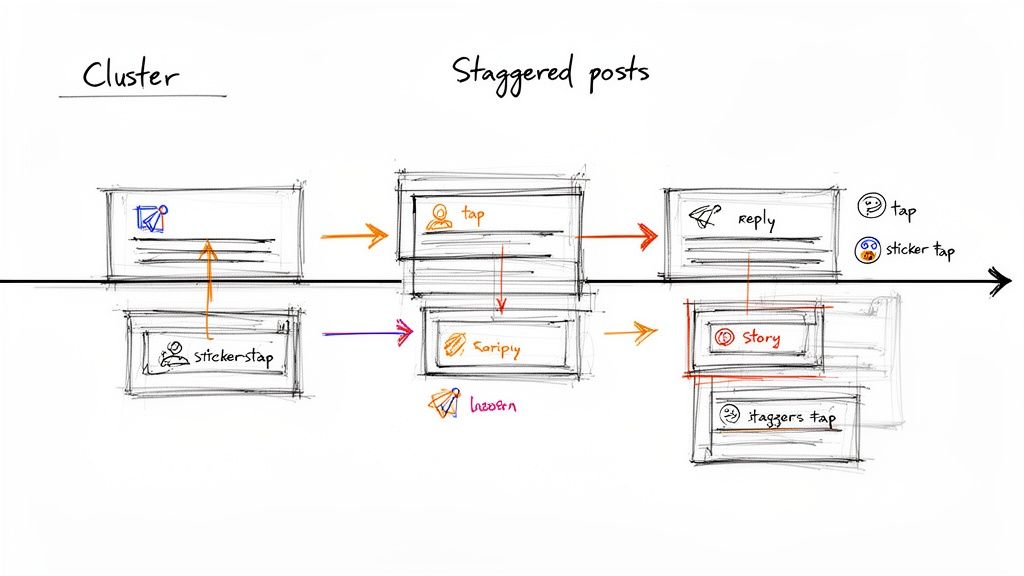
One of the most powerful—and surprisingly simple—strategies is staggered posting. Instead of dropping all your Stories at once, you intentionally spread them out across the day. This keeps your profile bubble popping back to the front of your followers' Story feeds, grabbing their attention multiple times without feeling spammy.
Think about it: the followers scrolling on their morning commute are a completely different crowd from the ones browsing late at night. By staggering your posts, you get a chance to connect with both.
The data backs this up. Smart scheduling tactics like this can lead to a 40% increase in weekly engagement just by hitting different audience windows. A proven approach is to schedule Stories for three key slots: morning (8-10 AM), midday (12-2 PM), and evening (6-8 PM). Just make sure there are at least three hours between posts to avoid viewer fatigue.
Build Compelling Story Clusters That Tell a Narrative
When you do post, think in terms of 'clusters'—a series of 3-5 related Stories that tell a complete mini-story. A single, random Story is easy to forget, but a cluster gets people tapping to see what happens next. This format is perfect for tutorials, behind-the-scenes content, or a classic "day in the life."
Think of each cluster as a chapter in a book. It needs a clear beginning, middle, and end. Start with a hook, build on it, and finish with a strong call-to-action or a satisfying wrap-up.
This narrative style does wonders for your completion rates. When viewers get invested in what you're showing them, they're far more likely to watch all the way through, which sends great signals to the Instagram algorithm.
Strategically Repurpose Your Best Content
Your content calendar shouldn't be a collection of one-hit wonders. Your best-performing Reels and feed posts are pure gold for your Stories. Repurposing isn't about being lazy; it's about being smart and amplifying what you already know works.
Here are a few ways I put this into practice:
Tease a Reel in Your Story: When you share a new Reel, don't just post it as is. Cover most of the video with a GIF or a "Tap here!" sticker. Add text like "You won't believe what happened next..." to spark curiosity and drive clicks.
Create Behind-the-Scenes Stories: That photo on your feed that got a ton of love? Schedule a Story cluster showing how you captured that perfect shot. People love seeing the process.
Answer Comments in Your Stories: Grab a great question from a feed post and answer it in a video Story. It makes your followers feel heard and encourages them to comment on future posts.
This creates a powerful feedback loop. Your Stories drive traffic to your feed and Reels, and your evergreen content gives you an endless supply of proven ideas for your Stories. To take it even further, you can automatically DM someone who comments on your posts or Reels
For a deeper dive into building an engaged community, this guide on how to increase engagement on Instagram
How to Measure Your Success and Refine Your Strategy
Scheduling your Stories is only half the battle. If you're not looking at what happens after you post, you're essentially just throwing content at the wall and hoping something sticks. You can have the most beautiful, well-timed Stories, but without data, you're flying blind.
This is where you stop guessing and start building a real, repeatable strategy. The final piece of the puzzle is digging into your analytics to see what's actually working.
Think of your Instagram Insights as a report card for your Stories. It's not there to judge you; it's a roadmap showing you exactly where you're killing it and where there's room to grow. Making this a regular habit is how you turn scheduling into measurable growth.
Key Metrics You Need to Track
When you first open your Story analytics, it's easy to get overwhelmed by all the numbers. Don't be. Just focus on the metrics that tell the most important parts of the story: how many people saw your content and what they did when they saw it.
Reach: This is the big one. It's the total number of unique accounts that saw your Story. This is your primary measure of visibility.
Impressions: This is the total number of times your Story was viewed. If your impressions are way higher than your reach, it's a great sign that people are coming back to watch your content multiple times.
Completion Rate: Instagram doesn't hand you this number, but it's easy to figure out and incredibly insightful. Just divide the number of views on your very last Story slide by the views on your first one. A high completion rate means your content was so good people stuck around to the end.
Sticker Taps: This tracks every time someone engages with your interactive elements—polls, quizzes, question boxes, you name it. A high number of taps is a clear signal that your audience loves to get involved.
Looking at these numbers together gives you the full picture. For instance, high reach but low sticker taps might mean your visuals are catching eyes, but you're not giving your audience a reason to interact.
The goal isn't just to chase big numbers; it's to understand the behavior behind them. A Story that gets half the reach but double the replies might be far more valuable for building a loyal community than one that just gets a ton of passive views.
A Simple Framework for Reviewing Performance
To keep from getting lost in the data weeds, set up a simple review routine. Whether it's weekly or bi-weekly, just be consistent. At the end of each period, pull up your analytics and ask yourself a few direct questions.
Which Story had the highest reach this week? What time of day did it go live? Which format—a quick video, a static image, a poll—sparked the most interactions?
This simple process is how you start spotting trends. You might discover that your behind-the-scenes videos have an amazing completion rate, or that your followers are surprisingly active on Sunday evenings. These are the golden nuggets of insight you're looking for.
Once you know what works, you can double down on it. Refine your timing, create more of the content your audience loves, and cut what's falling flat. And as you make these data-driven tweaks, it's always a good idea to keep an eye on your overall growth with a free Instagram follower count tracker
Frequently Asked Questions
Have a question not in here? Contact us
- Can I Schedule Stories with Interactive Stickers?Yes, absolutely. The days of scheduling only static images are long gone. Modern scheduling tools, including Meta Business Suite and top-tier platforms like Later or Buffer, fully support interactive elements. This means you can queue up your Stories with polls, quizzes, and question stickers right from your scheduling dashboard.
- What's the Magic Number of Stories to Schedule?There's no single number that works for everyone, but a good rule of thumb is to aim for somewhere between 1 to 7 Stories per day. This range is usually enough to keep your profile bubble at the top of your followers' feeds without totally overwhelming them. The real key here is consistency.
- Will Using a Scheduler Kill My Reach?This is a big one, and it's a myth that just won't die. Let's be clear: using an official, Meta-approved scheduling platform will NOT hurt your reach. In fact, it usually does the opposite. The Instagram algorithm loves consistency and rewards accounts that post high-quality content when their audience is most active.
- How do I find the best times to post Stories?Start by checking your Instagram Insights for your audience's most active times. Head to your Professional Dashboard, select Total Followers, and scroll to the Most Active Times section. This gives you personalized data about when your specific followers are online.
- What's the difference between Meta Business Suite and third-party tools?
Meta Business Suite is free and great for basic scheduling, but third-party tools offer advanced features like visual content calendars, bulk uploading, team collaboration, and deeper analytics. For growing businesses, tools like happydms provide more comprehensive automation and management features.