
Master Your content calendar instagram Strategy for Growth
An effective content calendar for Instagram isn't just some fancy spreadsheet. Think of it as your game plan, the blueprint that turns random posts into a strategic growth machine. It's how you map out what you're going to post and when, ensuring every single Reel, Story, and carousel pushes you closer to your business goals.
Why an Instagram Content Calendar Is Your Growth Engine
Let's be real: scrambling for post ideas every single day is exhausting. Ditching that daily panic is the first real step toward building a predictable and scalable presence on the platform.
A content calendar does more than just keep you organized. It's a powerful signal to the Instagram algorithm, which tends to reward accounts that show up consistently with better reach. This simple shift in approach takes you from being a reactive content creator to a proactive brand builder.
Instead of waking up and thinking, "Oh no, what am I going to post today?" you can finally free up your mental energy for the things that really move the needle. You know, stuff like actually engaging with your community, diving into your analytics, or brainstorming your next big creative campaign. Planning ahead prevents burnout and gives you the space to be strategic.
Fueling Follower Growth with Consistency
When you post consistently, your audience starts to know what to expect from you and when. This builds anticipation and trust, turning casual followers into a loyal community that actively looks forward to your content. That kind of loyalty is a massive driver of follower growth.
And it's not just a feeling—the data backs it up.
An analysis of over 2.1 million posts found a direct link between how often an account posts and how fast it grows. Accounts posting 3-5 times per week saw more than double the follower growth rate compared to those only posting once or twice.
Want to kick things into high gear? The accounts that posted 10 or more times per week saw a jaw-dropping 5.5x surge in new followers. That's the power of a plan.
Here's a clear visual of how a consistent posting schedule directly fuels your follower growth.
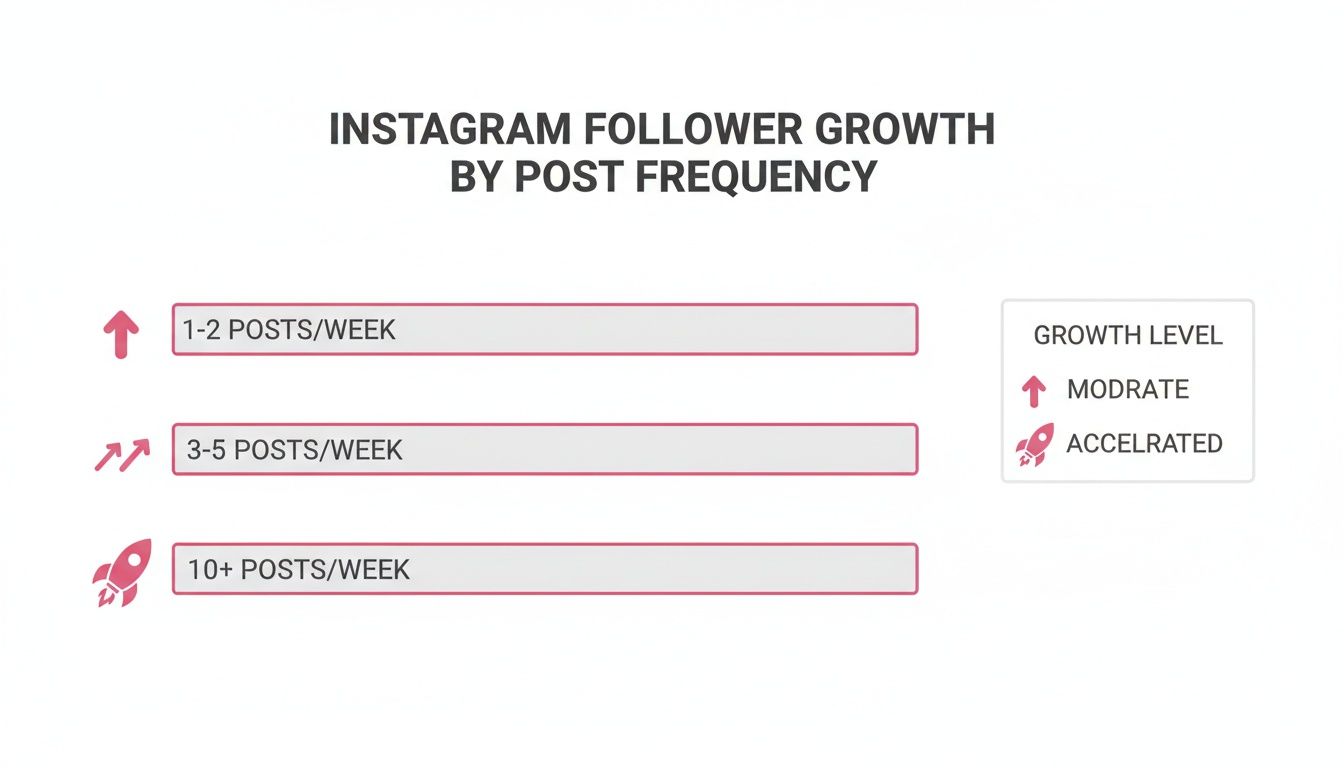
This data shows, without a doubt, that a higher posting frequency—managed effectively with a content calendar—is your fastest path to expanding your audience.
A well-managed calendar also helps improve audience loyalty, which is a key part of long-term success. For deeper insights, you might be interested in our guide on customer retention software to see how these concepts connect.
To make sure your Instagram efforts are locked in with your bigger business goals, it's a great idea to use a comprehensive social media strategy template. This will help you build a truly cohesive plan.
Define Your Core Content Pillars and Themes
Before you even think about plugging a single post into your new content calendar for Instagram, you need a blueprint. Seriously. You wouldn't start building a house without knowing where the walls go, right? Your content pillars are those foundational walls for your Instagram strategy—they give it structure, consistency, and a whole lot of strength.
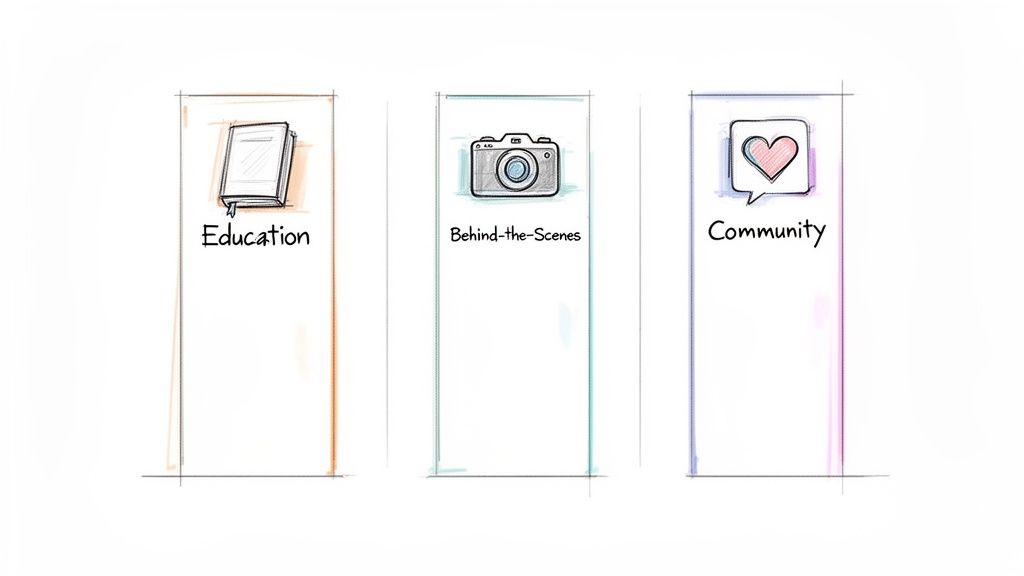
Think of content pillars as the 3-5 core topics your brand will own and talk about, day in and day out. These are the subjects you want to be known for in your niche. Getting this right is what stops you from posting random, scattered content and helps you start building a cohesive, recognizable presence that people actually want to follow.
Brainstorming Your Foundational Pillars
So, where do these magical pillars come from? It's not about pulling ideas out of thin air. The absolute best pillars live at the intersection of three crucial things: what your audience desperately needs, what you're genuinely good at, and what you're trying to achieve with your business.
Audience Problems: What are the biggest questions, nagging pain points, or secret desires of your target audience? Your content needs to be the answer they've been looking for.
Your Expertise: What can you teach, share, or break down better than anyone else? This is your unique value, the secret sauce that makes you different.
Business Goals: Ultimately, what action do you want your content to drive? Whether it's selling a product, getting sign-ups, or building an engaged community, your pillars have to push those goals forward.
Let's run through an example. Imagine a fitness coach who wants to build their online presence. Instead of just posting random workout clips, they could get strategic with their pillars:
Pillar 1: Workout Tutorials: This directly solves their audience's need for clear, effective exercise guidance.
Pillar 2: Nutrition Myth-Busting: This flexes their expertise, builds trust, and positions them as a go-to authority.
Pillar 3: Client Transformations: This directly supports their business goal of signing up new clients by showing real, tangible results.
See how that works? Every single piece of content now has a clear job to do.
From Pillars to Engaging Content Themes
Once your pillars are locked in, the fun part begins. You can start brainstorming specific content themes or series under each one. This makes filling out your Instagram content calendar almost feel like cheating.
For our fitness coach's "Workout Tutorials" pillar, the themes could branch out into things like "15-Minute Home Workouts," "Gym Machine Guides," or even a weekly series like "Mobility Mondays." The ideas start flowing effortlessly.
Think of your content pillars as your promise to your audience. They set expectations and build incredible trust by delivering consistent, predictable value. When followers know what they're getting from you, they're way more likely to engage, save, and share your stuff.
This system also makes working with a team a breeze. When everyone is aligned on the core pillars, all the content created feels unified and on-brand. If you're bringing others into your creative process, be sure to check out our guide on adding collaborators on Instagram Reels for some super practical tips.
Honestly, getting this foundational work done first makes every other step of managing your content feel almost effortless.
How to Build a Practical Instagram Content Calendar
Okay, you've figured out your content pillars. Now comes the fun part: turning that big-picture strategy into a real, day-to-day plan. This is where your Instagram content calendar comes in. It's the bridge between your brilliant ideas and what actually gets posted.
You don't need some fancy, expensive software to get started. Honestly, a simple spreadsheet in Google Sheets or a visual board in a tool like Trello works perfectly for most people.
The real goal here is to create one single source of truth that you (and your team, if you have one) can always turn to. It cuts out the guesswork and keeps everyone on the same page about what's going live and when. A good calendar lets you see your entire strategy at a glance, making sure you're keeping a healthy mix of post formats and themes.
What to Actually Put in Your Calendar
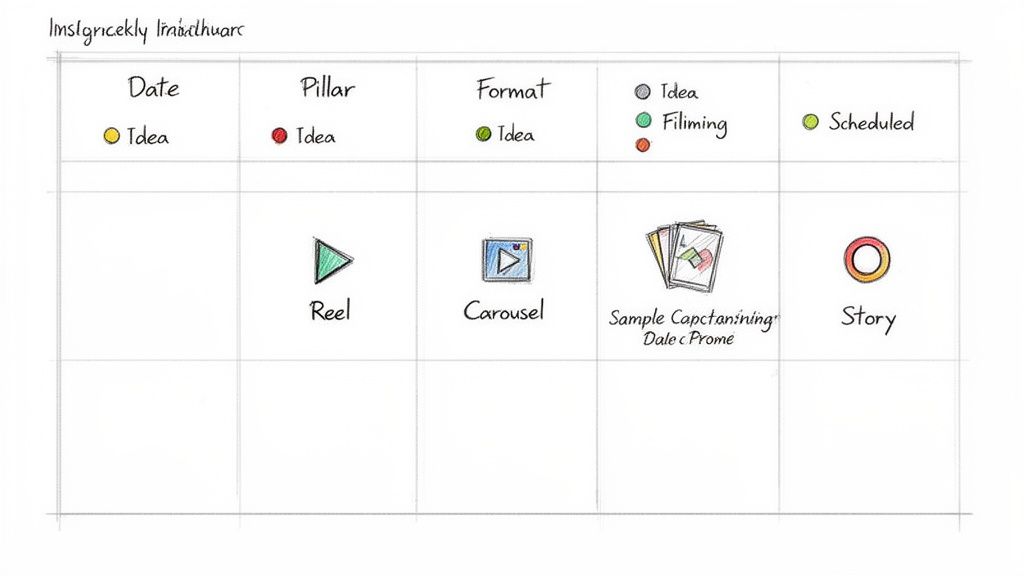
To make your calendar something you'll actually use, it needs the right information. Pack it with too much detail, and it becomes a clunky mess. Too little, and you'll miss crucial steps. From my experience, these are the non-negotiables for each post you plan:
Date: The exact day and time you plan to hit "publish."
Pillar: Which of your content pillars does this post fit into?
Format: Is it a Reel, Carousel, Story, or a classic static image?
Caption Draft: The full text, including any @mentions or #hashtags.
Call-to-Action (CTA): What do you want someone to do after seeing this post?
Status: A simple tracker to see where things are. I like using tags like Idea, Filming, Editing, or Scheduled.
This simple structure gives you a clear path for taking a rough idea and turning it into a polished piece of content, ready to go.
Your calendar is so much more than a schedule. Think of it as a living document that tells your brand's entire story on Instagram. It's where you spot content gaps, make sure you're not being too salesy, and keep your narrative consistent over time.
The Power of Two Views: Monthly and Weekly
How you look at your calendar can totally change your workflow. I've found that using two different views—a big-picture monthly one and a detailed weekly one—is the secret sauce.
A monthly view is for high-level strategy. It's where you pencil in major campaigns, product launches, or seasonal content. This ensures everything you post is tied back to your bigger business goals.
Then, you have your weekly view, which is all about execution. This is where you get into the nitty-gritty: finalizing captions, getting feedback on visuals, and locking in the exact posting times. Using both views gives you the strategic foresight of a monthly plan combined with the focused execution of a weekly sprint.
For example, a software company might use its monthly view to block out a Reel to announce a new feature. Then, in the weekly view, they'll flesh out the surrounding content—maybe an educational carousel breaking down the feature's benefits and some behind-the-scenes Stories of the team that built it. This approach creates a well-rounded feed that builds hype without just screaming "buy now!"
If you want to dive deeper into streamlining this process, our guide on how to schedule Instagram posts is a great next step.
Find Your Optimal Posting Times and Cadence
You can have the most brilliant content in the world, but if you post it when no one's listening, it's like a billboard on an empty road. A successful content calendar for Instagram isn't just about what you post; it's about when. Nailing your posting cadence and timing is just as crucial as the content itself.
There are tons of general guidelines floating around, but the real magic happens when you stop relying on generic advice and start making decisions based on your own audience's behavior. The goal isn't just to post consistently—it's to post when your specific followers are actually scrolling, engaging, and ready to take action.
Unlocking Your Personal Peak Times
Forget the one-size-fits-all approach. Your best posting times are hiding in plain sight, right inside your Instagram Insights. This is your direct line into how your audience behaves, and frankly, it's the most reliable data you've got.
Here's how to dig in and find it:
Head to your Instagram profile and tap on "Professional Dashboard."
Select "Account Insights" to get a look at your performance metrics.
Navigate over to the "Total Followers" section.
Scroll all the way down to find the "Most Active Times" data.
This little goldmine shows you a breakdown of when your followers were online, both by day of the week and by the hour. Those dark blue bars? Those are your golden hours. These are the exact times you should be scheduling your most important, high-impact posts.
For example, you might discover that your audience is super active on Tuesdays around lunchtime and then again on Thursday evenings. Knowing this, you could schedule an educational carousel to catch them on their work break and a highly engaging Reel for that primetime evening slot. Easy.
Pro Tip: Your "Most Active Times" data isn't set in stone. It's a living metric. Check it at least once a month because audience habits can shift with seasons, holidays, or just changes in their daily routines. Keep your calendar flexible enough to adapt.
Using Global Trends as a Starting Point
While your personal data is king, global trends can give you a fantastic head start—especially if your account is new and you don't have a ton of follower data to work with yet. General insights show some pretty clear patterns in user behavior throughout the week.
For instance, global data often points to evening hours as a sweet spot for engagement.
Data-backed insights show that the best times often cluster in the evenings, specifically from 7:00 PM to 9:00 PM daily. This is when users are unwinding from their day and have longer watch times for things like Reels and lifestyle content. Fridays often see a spike between 3:00 PM and 5:00 PM as people are checking out for the weekend, while Sunday mornings from 9:00 AM to 11:00 AM can be a great, low-competition window for inspirational or relaxed posts. If you want to dive deeper, you can explore a data-backed guide to learn more about the best times to post on Instagram.
To make this even easier, I've put together a quick reference guide based on these broader trends.
Best Instagram Posting Times by Day
Use this quick reference guide to schedule your content within peak engagement windows for maximum visibility.
| Day of the Week | Peak Engagement Window(s) | Best For Content Type |
|---|---|---|
| Monday | 7:00 PM - 9:00 PM | Motivational quotes, behind-the-scenes, weekly goals |
| Tuesday | 11:00 AM - 1:00 PM, 8:00 PM - 10:00 PM | Educational carousels, quick tips, tutorials |
| Wednesday | 7:00 PM - 9:00 PM | Mid-week check-ins, polls, user-generated content |
| Thursday | 12:00 PM - 2:00 PM, 8:00 PM - 10:00 PM | Engaging Reels, long-form video, thought leadership |
| Friday | 3:00 PM - 5:00 PM, 7:00 PM - 9:00 PM | Product launches, promotions, weekend vibes content |
| Saturday | 6:00 PM - 8:00 PM | Lifestyle posts, storytelling, community highlights |
| Sunday | 9:00 AM - 11:00 AM, 7:00 PM - 9:00 PM | Inspirational content, weekly roundups, relaxed Reels |
Think of these broader trends as your strategic advantage. You can test these popular windows and then cross-reference the results with your own Instagram Insights to fine-tune your schedule. It's this combination of general knowledge and personal data that turns your content calendar from a simple to-do list into a powerful growth tool.
Automate Your Workflow and Boost Engagement
Let's be real: a brilliant content calendar for Instagram is only half the battle. You can map out the most amazing content mix and pinpoint the perfect posting times, but if you're still manually publishing everything, you're leaving a ton of efficiency on the table.
This is where you stop just planning and start building a self-running growth engine. Automation is what turns that calendar from a static document into a dynamic tool that works for you around the clock.
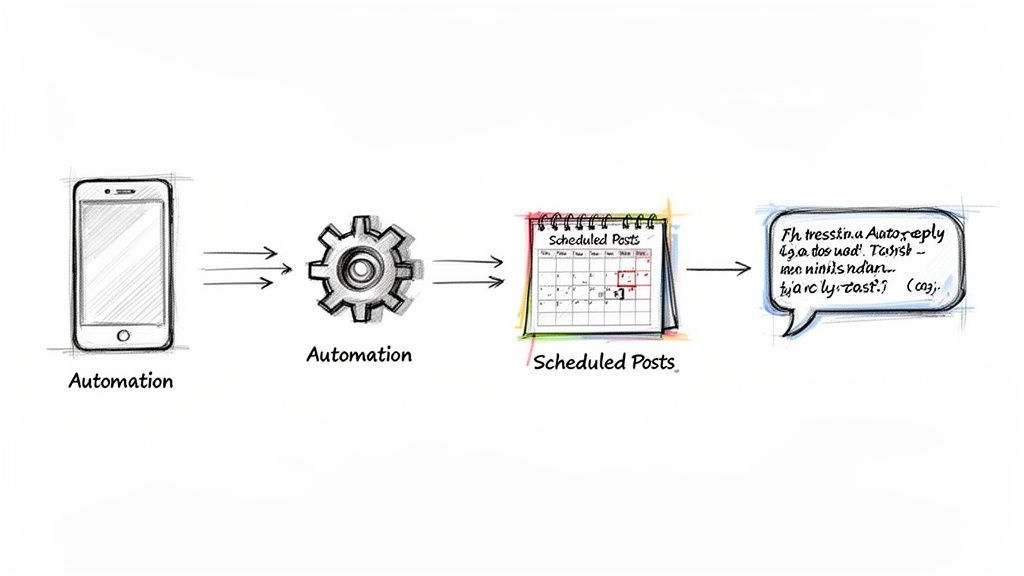
Tools like happydms are built to bring your calendar to life without you needing to be glued to your phone. The most obvious win? You can batch-schedule an entire week or even a month of content in one sitting. This means you'll never miss that prime posting window again, and you can finally ditch the daily stress of hitting "publish" right on time.
Just look at how you can manage multiple automation features from a single, organized dashboard.
By centralizing all your scheduling and engagement rules in one place, you create a system that's always on, working for you 24/7.
Go Beyond Scheduling with Engagement Automation
True automation isn't just about scheduling posts and walking away. The real magic kicks in when you automate the conversations that happen after you post.
Imagine instantly welcoming every new person who comments on your post. That simple, automated action can have a massive impact on your engagement rate.
By immediately replying to comments or sending a friendly DM, you're not just being responsive—you're sending a powerful signal to the Instagram algorithm that your content is sparking valuable conversations. This can lead to increased reach for that post and future ones.
You can set up workflows to handle common questions, thank followers for sharing your content, or even deliver a freebie or lead magnet automatically. This is a level of responsiveness that's nearly impossible to keep up with manually, but it's exactly what builds a fiercely loyal community.
If you want to dive deeper into this, check out our guide on how to automatically DM someone who comments on your posts.
Turn Your Calendar into a Smart CRM
An advanced automation platform does more than just post and reply; it helps you truly understand your audience. When you use a tool with a built-in CRM, every single interaction—every comment, DM, and mention—gets tracked. This data allows you to easily spot your most engaged followers and superfans right from your dashboard.
This kind of insight is gold for a few key reasons:
Spot potential brand ambassadors who are consistently showing you love.
Segment your audience for targeted promotions or exclusive content drops.
Personalize your outreach by seeing a follower's entire interaction history at a glance.
This is how you scale your presence without losing that personal touch. And to make your workflow even smoother, learning shortcuts like creating Instagram Reels from existing video can be a huge time-saver.
When you combine smart content repurposing with powerful automation, your Instagram content calendar transforms into a predictable system for turning followers into customers.
Measure What Matters and Refine Your Strategy
Here's a hard truth: your content calendar for Instagram isn't a "set it and forget it" document. The real magic happens when you treat it like a living, breathing plan—a strategic hypothesis you constantly test and refine. The final, and arguably most important, step is creating a feedback loop where cold, hard data drives your next move.
This means you have to resist the allure of vanity metrics. Things like follower counts and likes feel great, but they don't pay the bills. Instead, we need to shift our focus to the numbers that actually reveal how your audience connects with what you're putting out there.
Digging into Actionable Instagram Insights
To really get a feel for what's landing, you need to get comfortable inside your Instagram Insights. This is where the platform tells you the story of your content's real-world impact. Forget the fluff and zero in on these key performance indicators:
Saves: When someone saves your post, it's a massive green flag. It tells you they found it so valuable that they want to come back to it later. High saves on a post are a direct order from your audience: "Make more of this, please!"
Shares: A share is the ultimate stamp of approval. Someone is literally telling their own network, "You have to see this." This is how you generate massive organic reach and get discovered by new people.
Website Clicks: This one is a direct line from your Instagram efforts to your business goals. It tells you which posts were compelling enough to get someone to leave the app and enter your world—your blog, your shop, your email list.
I've found that the most successful accounts mix things up to see what sticks. A good calendar balances different formats to squeeze every drop of engagement out of their audience. For example, carousels are killing it right now, often leading the pack with a 3.55% engagement-to-reach ratio. Meanwhile, Reels can gobble up 45% of all interactions on an account.
Even Stories have a specific role to play. While most brands average about 10 per month, Instagram's own data suggests posting 1-7 daily for the best completion rates. One SaaS client I worked with saw a 40% engagement spike purely because their analytics told them to lean into more video. If you want to nerd out on the numbers, you can discover more Instagram statistics and insights to help guide your own strategy.
Your monthly content audit doesn't have to be a huge, complicated affair. Just ask yourself one simple question: "What were my top three posts based on saves, shares, and clicks?" The answer is your roadmap for next month.
Conducting a Monthly Content Audit
Block out a little time each month to do a quick and dirty audit of your content calendar for Instagram. Pull up your top-performing posts and start looking for the patterns.
Was it a specific content pillar that popped off? A certain format, like a carousel tutorial? Or maybe a particular call-to-action that got people moving?
This regular review is what separates the pros from the amateurs. It turns your strategy from pure guesswork into a data-driven machine. By constantly analyzing what resonates, you can double down on what's working, ditch what isn't, and make your entire content engine smarter and more effective with every post you publish.
Got Questions? We've Got Answers
Diving into a new workflow like building a content calendar always brings up a few questions. Let's tackle some of the most common ones I hear from clients and colleagues.
How Far Out Should I Actually Plan My Instagram Content?
For most brands, planning one month in advance is the sweet spot. This gives you enough runway to be strategic, line up your content with any upcoming sales or promotions, and batch-create your posts without feeling rushed.
At the same time, it leaves you nimble enough to jump on a trend or share something timely without derailing your entire schedule. Of course, if you're part of a bigger team or an agency juggling major campaigns, planning a full quarter ahead might be necessary to keep all the moving parts coordinated.
What's the "Perfect" Content Mix for Instagram?
There's no magic formula, but a balanced weekly mix tends to work wonders. Think of it like a healthy diet for your feed.
A great starting point looks something like this:
2-3 Reels for grabbing new eyeballs and maximizing your reach.
1-2 Carousels to educate your audience and go a little deeper on a topic.
1 static image post for a quick, impactful message or brand visual.
3-5 daily Instagram Stories to connect with your community, run polls, and drive traffic with interactive stickers.
This variety keeps your feed from feeling stale and gives your audience different ways to engage with you throughout the week.
Do I Need to Pay for a Calendar Tool?
Not at all, especially when you're just getting started. You can absolutely manage your calendar using free tools.
Google Sheets, Trello, or even Notion are fantastic for mapping out your dates, drafting captions, and organizing ideas. The real value in a paid tool comes later as you scale. Once you're ready to save serious time, investing in an integrated platform that bundles scheduling with engagement automation is a game-changer for refining your strategy and getting better analytics.
Ready to turn that perfectly planned calendar into an automated growth engine? happydms combines powerful scheduling with automated engagement to help you convert followers into revenue, effortlessly. See how it works at happydms.com.