
A Guide to Reposting on Instagram to Grow Your Reach
Thinking about reposting on Instagram? It's way more than just a quick fix for an empty content calendar. When done right, it's a savvy move to build your community, boost your reach, and keep your feed buzzing.
The golden rule is simple, though: always, always get permission from the original creator and give them clear, prominent credit.
Why Reposting on Instagram Is a Smart Growth Strategy
Let's clear something up. Reposting isn't just about filling a slot in your content plan. It's a genuine strategy for authentic community building and growth. When you share someone else's content thoughtfully, you're leveraging one of the most powerful marketing tools out there: social proof.
Take user-generated content (UGC), for example. Sharing a customer's photo or video of your product is like getting a glowing, authentic testimonial. It builds a level of trust with potential buyers that your own branded content often struggles to achieve. It shows your audience that real people are loving what you do, which in turn encourages more people to share their own experiences. It's a beautiful, self-sustaining cycle.
For a quick overview, here's a look at the different reposting methods and where they shine.
At a Glance: Reposting Methods and Their Best Use
This table breaks down the common ways to share content on Instagram and helps you decide which one fits your goal.
| Method | Best For | Permission Needed? | Key Benefit |
|---|---|---|---|
| Share to Story | Quick, temporary shares; driving traffic with links; engaging with mentions. | No (if using the built-in feature). | Simple, fast, and doesn't clutter your main feed. |
| Manual Repost to Feed | High-quality UGC; evergreen content; featuring community members. | Yes, absolutely. | Builds social proof and adds authentic content to your profile grid. |
| Reposting Apps | Streamlining the reposting process, especially for frequent UGC sharing. | Yes, absolutely. | Simplifies downloading and crediting, but choose a reputable app. |
| Repost a Reel | Amplifying high-performing video content and reaching new audiences. | Yes, absolutely. | Taps into the Reel algorithm for potentially massive reach. |
Each method serves a different purpose, but remember that asking for permission for any feed post is non-negotiable.
Amplify Your Reach with Engaging Formats
Beyond just UGC, reposting high-performing content from others (with their blessing, of course) aligns your feed with what the Instagram algorithm already loves. This is especially true for formats like carousels and Reels, which consistently crush it in terms of engagement for business accounts.
With over 200 billion Reels played daily across Meta's platforms, sharing a Reel that's already gaining traction can give your visibility a massive boost. In fact, nearly half of all engagement on Instagram now comes from Reels. Tapping into that is a no-brainer.
This simple decision tree nails the most critical step you need to take every single time.
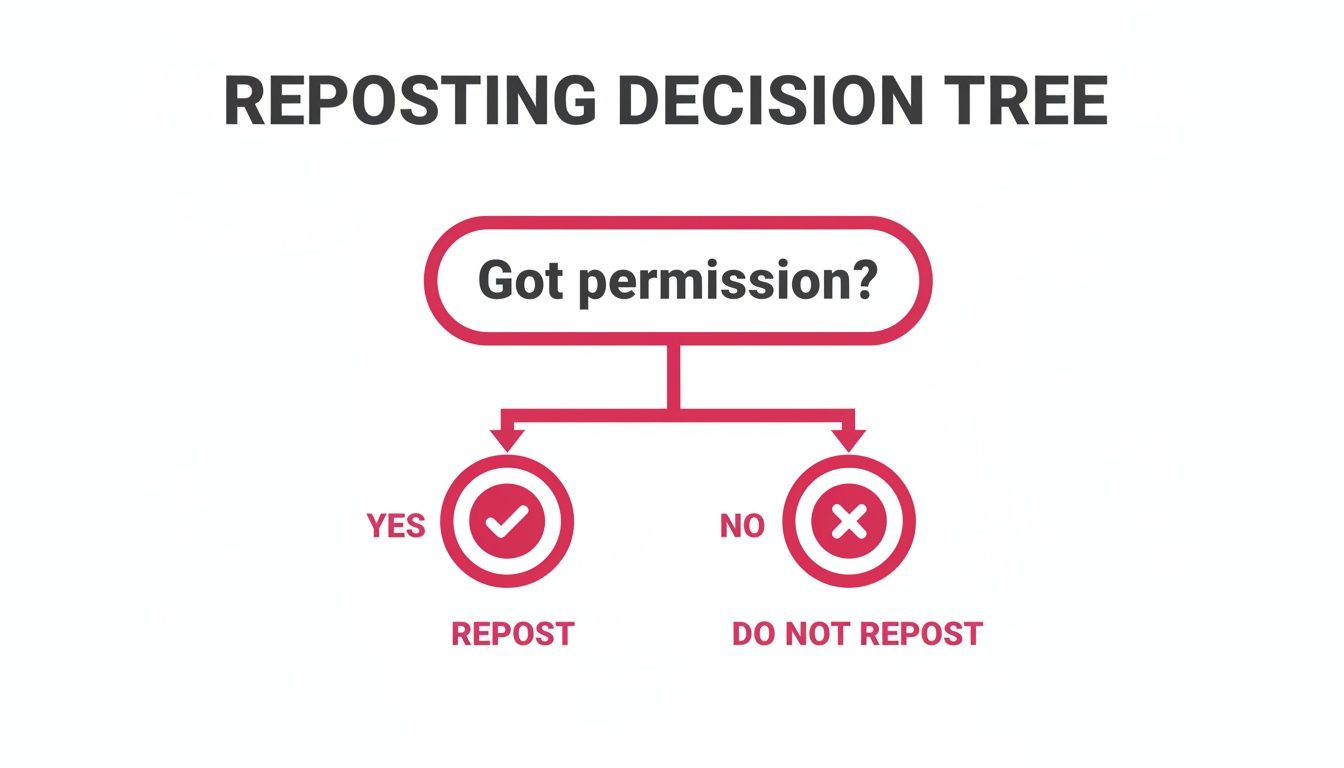
The takeaway here couldn't be clearer. Permission is the gatekeeper to reposting ethically and effectively.
A Sustainable Content Workflow
At the end of the day, reposting is about working smarter, not harder. Let's be real—not every follower sees every single post you make. Great content absolutely deserves more than one moment in the spotlight.
By strategically weaving reposts into your schedule, you honor the time you spent creating that content in the first place, reinforce your key messages, and give new followers a chance to see your greatest hits.
By integrating reposts, you create a sustainable workflow. This frees up time and energy to focus on creating new, high-impact original content while your "greatest hits" continue to work for you. It's a key tactic for maintaining a consistent presence without burning out.
Adding reposts is an easy way to bring more depth and variety to your feed. If you're looking for more tips on planning your posts, check out our complete guide to creating a successful Instagram content calendar
Before you even think about hitting that share button, we need to talk about the single most important rule of reposting on Instagram.
Sharing someone else's content without their clear permission is a fast track to damaging your brand's reputation. Even worse, it can get you into trouble over copyright. Following this one rule protects both you and the awesome creators you want to feature.
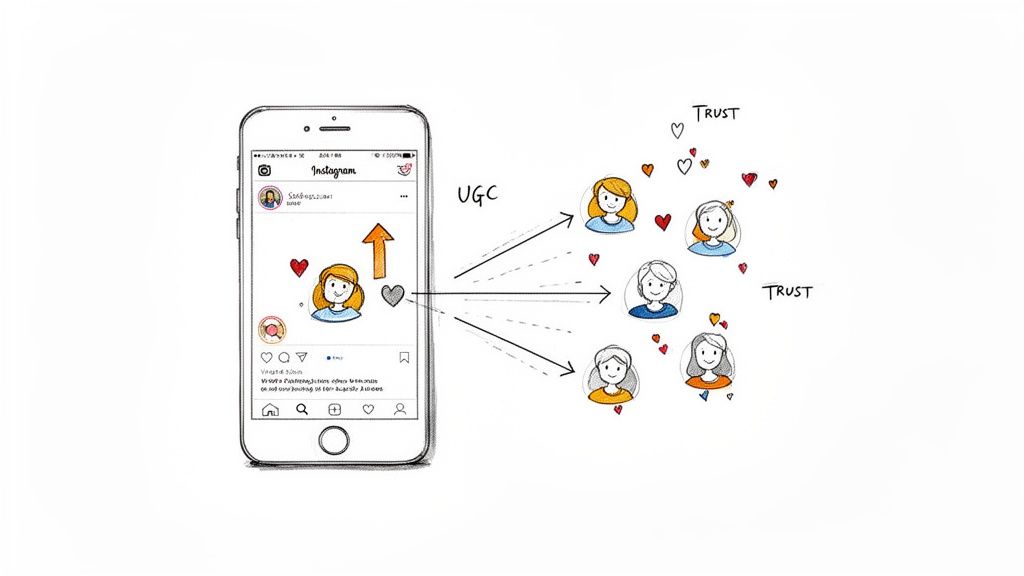
Luckily, the process is simple: just ask. A quick, polite DM is usually all it takes. This small gesture shows respect for the creator's hard work and starts building a real relationship, which can lead to much better collaborations later on. A little bit of upfront communication saves a lot of potential headaches.
How to Ask for Permission
Your message doesn't need to be long or complicated. Just keep it friendly, be specific about what you want to share, and be crystal clear about your plans. Most creators are genuinely excited to be featured, but asking first is a non-negotiable sign of professional respect.
Here's a simple template you can adapt:
"Hi [Creator's Name]! We're huge fans of your content, and we especially loved your recent post about [describe the post]. We think our audience would find it really valuable. Would you be open to us reposting it on our feed? We'll be sure to give you full credit in the caption and tag. Thanks!"
This approach works so well because it's personal, explains why you love their work, and tells them exactly how you'll credit them. It opens the door for a positive conversation instead of just grabbing their content. Once you get that "yes," you're good to go.
The Art of Giving Proper Credit
Proper credit is way more than just a hidden tag buried somewhere in your post. The goal is to make it impossible for your audience to miss who the original creator is. This isn't just about doing the right thing; it's about driving traffic and recognition back to them, which strengthens your relationship.
Here's how to make sure your attribution is always on point:
Tag Them in the Photo or Video. Use Instagram's native tagging feature to tag the creator's handle directly on the media. This makes their profile accessible with a single tap.
Credit at the Top of the Caption. Don't make people hunt for the credit. Start your caption by shouting them out clearly. Something like, "📸 Amazing shot by @[creator's handle]!" or "💡 We love this tip from @[creator's handle]!" works perfectly.
Avoid the Hashtag Graveyard. Never, ever hide the creator's tag in a block of 30 hashtags at the bottom of your caption. The credit needs to be prominent and easy to spot.
This transparent approach builds trust with both creators and your own audience. It shows that you value community and collaboration—two things that are absolutely essential for growth on Instagram. For more advanced partnership ideas, check out our guide on how to go a step further by adding collaborators on Instagram Reels
Sharing Posts and Reels to Your Instagram Story
Sharing content to your Instagram Story is hands-down the easiest and most popular way to repost. It's the perfect move for giving quick shout-outs, celebrating user-generated content, or boosting a message that really clicks with your brand—all within that 24-hour Story window.
Getting started is simple. Find the post or Reel you want to share and tap that little paper airplane icon right below it. This brings up your sharing options. Just hit "Add to your story," and boom—Instagram creates a new Story draft with the post right there as a tappable sticker.
But this is where most people stop, and where you can really start to stand out.
Go Beyond the Default Share
Please, don't just post it with Instagram's default rainbow gradient background. It's a massive missed opportunity for branding. Your goal is to make that shared content feel like a natural part of your own feed.
Here's a simple trick I use all the time: add a photo from your camera roll to the Story first, then just drag the shared post sticker right on top of it. Instant custom background.
Even better, use the draw tool to create a solid color background that matches your brand's palette. Just pick your color, then tap and hold anywhere on the screen until it fills completely. It immediately looks more polished and intentional.
You also need to add your own voice. Why are you sharing this? Add a text box with your take on it, or pop in a question to get a conversation going. This little step turns a passive reshare into an active piece of engagement.
Make Your Shared Stories Interactive
The real magic of reposting to Stories comes from using all the interactive features Instagram gives you. When you share a post, you can slap stickers on it that literally invite your audience to join in. This is how you really crank up your engagement.
Poll Sticker: Ask a direct question about what you just shared. Reposting a customer's photo of your new coffee blend? Add a poll asking, "Have you tried this flavor yet?" with "Yes!" or "Heck no, but I want to!" as the options.
Quiz Sticker: Test what your audience knows. If you share an educational Reel from a partner in your industry, create a quick quiz to see if your followers were paying attention.
Question Sticker: This is perfect for gathering feedback. Share a post and ask, "What do you love most about this?" to collect awesome testimonials and insights you can use later.
These interactive elements do more than just pump up your metrics. They turn your Story into a real two-way conversation, showing your audience you actually care about what they think. It gives them a reason to stick around.
If you want a deeper dive specifically on video, check out this comprehensive guide on how to repost a Reel on Instagram. And if you're looking to plan these shares in advance, learning how to schedule Instagram Stories
When a piece of content is just too good for a 24-hour Story, a manual repost to your feed gives it the permanent home it deserves. Yes, it takes a bit more legwork than a quick Story share, but that extra effort pays off in total creative control. This is the gold standard for showcasing amazing user-generated content (UGC) or putting a spotlight on a partner's fantastic work.
The first step, always, is to save the photo or video ethically. Once you have explicit permission from the original creator, you need to get your hands on a high-quality version of the file. You could just take a screenshot and crop it, but let's be honest—that almost always tanks the image quality. The best move? Just ask the creator to send you the original file. Most are happy to do it.
Crafting the Perfect Repost Caption
A manual repost isn't just a copy-and-paste job; it's your chance to add a fresh layer of value for your audience. Your caption needs to do more than echo the original—it has to frame the content in a way that resonates with your followers. Tell them why you're sharing it. Explain what makes it stand out. This simple act of adding context turns a basic share into a powerful piece of content that reinforces your brand's unique point of view.
Giving clear, prominent credit isn't optional. It's a must.
Lead with Attribution: Kick off your caption by tagging and crediting the creator right away. Something like, "An incredible perspective from 📸 @[creator's handle]." makes it clear from the start.
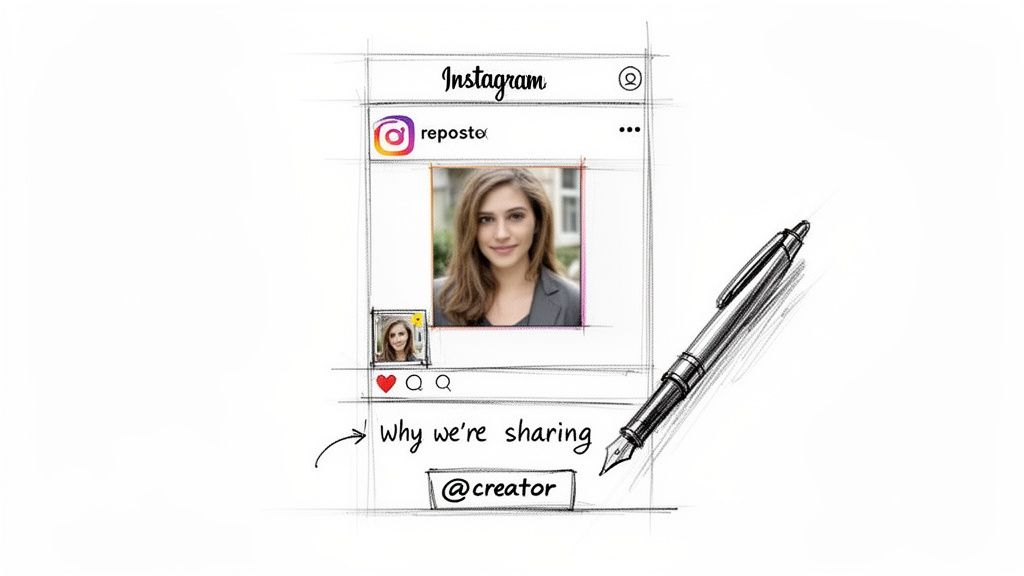
Explain the 'Why': What made you stop scrolling? Did their photo capture your product in a new light? Did their tip solve a common problem your audience faces? Share that.
Add a Call-to-Action: Encourage your followers to engage with the creator. A simple "Go follow their account for more amazing content like this!" works wonders.
This approach does more than just show respect for the original creator. It positions you as a trusted curator in your niche, someone your audience can count on to find the best content out there.
Maintaining Transparency with Visual Cues
To keep things crystal clear with your audience, it's a great practice to add a visual signal that a post is shared content. This avoids any confusion and builds trust through transparency. You don't need to overthink it; a small, consistent cue is all it takes.
Pro Tip: Hop into a tool like Canva and create a small, branded icon or a simple frame that you can easily pop into the corner of the image or video. By adding this visual marker to every repost, you create a cohesive look and instantly let followers know you're featuring community content.
Think about a subtle "repost" icon in your brand's font or a thin border in one of your brand colors. This little detail elevates your reposting game from a simple share to a curated feature. It makes the original creator feel truly celebrated and keeps your audience in the loop—a win-win that strengthens your entire community.
Using Third-Party Apps for Efficient Reposting
Let's be real—if you're reposting user-generated content regularly, the manual method gets old fast. It's clunky and time-consuming. This is where third-party apps come in to save the day, especially for social media managers and brands juggling multiple content streams. These tools are built specifically to make reposting fast and painless.
Instead of taking a awkward, low-quality screenshot, these apps handle the technical side for you. They save the photo or video directly to your device in high resolution. Many even automatically add a small credit watermark in the corner, so you never forget to give the original creator their props. This small feature alone turns a multi-step chore into a few quick taps.
The Typical Repost App Workflow
While every app is a little different, the basic flow is almost always the same. They're designed for speed, getting content from someone else's feed onto yours with as little friction as possible.
Here's what that usually looks like:
Find the Post: First, find the Instagram post you have permission to share.
Copy the Link: Tap the three dots on that post and hit "Copy Link."
Open Your Repost App: Most good apps will automatically detect the link you just copied from your clipboard.
Customize the Credit: The app will generate a credit sticker or watermark. You can typically pick a color (black or white works best) and its position, like the bottom-left corner.
Share to Instagram: From there, the app sends you right back to Instagram. The photo or video is now saved to your camera roll, and the original caption is usually copied to your clipboard, ready for you to paste and put your own spin on it.
The real win here is how much manual work you cut out. By automating the download and the credit overlay, you get to spend your time on what actually matters—writing a killer caption that adds your brand's voice to the conversation.
How to Choose a Safe Reposting App
Okay, this part is critical: security. The app stores are flooded with reposting tools, but not all of them are built with your safety in mind. Your Instagram account is a valuable asset, and the last thing you want is to compromise it.
Here's the golden rule: Never, ever use an app that asks for your Instagram login details. Reputable apps don't need your password. They work by using the public link of a post, so there's no reason for them to have access to your account. If an app asks you to log in, consider it a giant red flag—it's likely a phishing attempt to steal your profile.
When you're browsing for an app, keep an eye out for these things:
Reviews and Ratings: What are other people saying? Look for apps with a solid history of positive reviews.
Permissions: When you install the app, what does it ask for? It shouldn't need access to your contacts or anything else that's unrelated to saving media.
Privacy Policy: Any legitimate app will have a clear, easy-to-find privacy policy. Give it a quick scan.
Staying vigilant here helps you find a tool that genuinely makes your life easier without risking your account's security. And once you've got your reposting workflow down, you can start thinking about fitting it into your larger content strategy. It's worth learning how to schedule Instagram posts
Common Questions About Reposting on Instagram
Let's be real—navigating the world of reposting on Instagram can feel a little confusing. As you start mixing user-generated content into your strategy, it's only natural to have questions about the rules, the impact on your metrics, and how to get it right.
I see these questions pop up all the time, so let's clear up some of the most common uncertainties.
So, Is It Actually Illegal to Repost Content?
This is probably the biggest concern I hear, and for good reason. The short answer? Yes, it absolutely can be.
When someone creates a photo or video, they automatically own the copyright to that work. Reposting it without their go-ahead can land you in hot water for copyright infringement.
To keep your strategy both legal and ethical, you must get explicit permission from the original creator before you share their work. A simple tag in the caption isn't enough to cover you. Always ask first—it's a sign of respect, and it protects your brand.
Does Reposting Hurt Engagement?
This is a common fear, but the reality is often the complete opposite. When you do it right, reposting can give your engagement a serious boost.
Sharing high-quality, relevant user-generated content (UGC) acts as powerful social proof. It can also get your profile in front of new audiences when the original creator shares your feature with their own followers.
The key is to always add your own perspective in the caption and make sure the content genuinely resonates with your audience. The only time this backfires is if your feed becomes a wall of reposts with no original content in sight. If that happens, your audience might get bored and tune out. Balance is everything.
Strategic reposting on Instagram isn't about filling your feed—it's about curating a community hub. When you feature your audience's content, you're not just posting; you're validating their connection to your brand, which often leads to higher loyalty and more organic mentions.
How Do I Find Good Content to Repost?
Finding amazing content to share is way easier than you might think. You just need to know where to look. It all starts with monitoring your brand's footprint on the platform.
Here are a few goldmines for top-tier content:
Your Tagged Photos: This is your number one source for UGC. Make it a habit to regularly check the "tagged" section on your profile.
Brand Hashtags: Create a unique hashtag for your customers and encourage them to use it. A local coffee shop, for instance, might promote something like
#MyMorningMugshot.Relevant Niche Hashtags: Keep an eye on hashtags related to your industry. This is a great way to discover creators you might not have found otherwise.
Instagram Collections: See a post you love? Use the "save" feature to create a private collection of potential features. Think of it as your personal inspiration board for future reposts.
Can I Edit Content Before I Repost It?
This one is a huge deal when it comes to reposting etiquette. You should never edit or alter someone else's content without getting their explicit permission first.
This includes anything from adding a filter and cropping the image differently to slapping text overlays on their work.
Altering their original photo or video can feel like you're misrepresenting their creative vision, and it's a quick way to break trust. If you have an idea for a cool edit, bring it up with the creator when you ask for permission. But honestly, it's almost always best to share the content exactly as it was originally posted.
Ready to turn your Instagram followers into customers? happydms automates your DMs, comments, and post scheduling to build relationships and drive revenue on autopilot. Start your free trial today